CF游戏全面解锁:一键宏设置大全与高效代码秘籍!
在CF(穿越火线)游戏中,一键宏设置可以显著提升玩家的操作效率和游戏体验,以下是一键宏设置的大全与高效代码秘籍,帮助玩家全面解锁游戏潜能:
一键宏设置基础教程
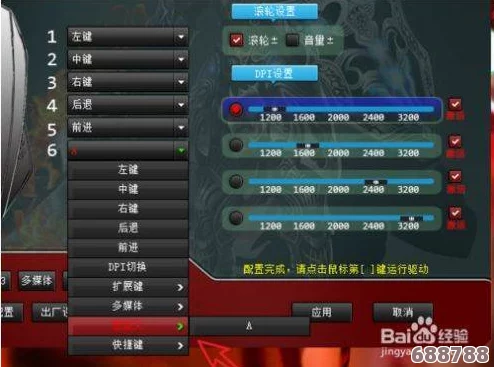
1、下载并安装鼠标宏软件
* 玩家需要下载并安装一款适合自己的鼠标宏软件,如AutoHotkey、Macro Recorder等。
2、录制鼠标宏脚本
* 安装好鼠标宏软件后,打开软件并开始录制鼠标宏脚本。
* 在游戏中执行一系列需要宏来完成的操作。
* 按下录制快捷键(通常是F9),软件会自动记录下玩家的操作过程。
* 重复执行这些操作,直到完成整个过程。
3、编辑鼠标宏脚本
* 录制完成后,玩家可以对鼠标宏脚本进行编辑。
* 在软件中,可以修改、删除或添加操作步骤,以满足自己的需求。
* 还可以根据需要设置宏的快捷键、延迟时间等参数。
4、保存并测试鼠标宏脚本
* 编辑完成后,点击保存按钮,将鼠标宏脚本保存到本地。
* 在游戏中测试鼠标宏是否正常工作,如果发现问题,可以返回软件进行调整。
5、设置鼠标宏热键
* 为了方便使用鼠标宏,玩家可以为其设置一个热键。
* 在软件中,选择“热键”选项卡,然后按下自己喜欢的快捷键组合(如Ctrl+Alt+M)。
* 点击确定按钮,这样每次按下设置的热键,鼠标宏就会自动执行。
高效代码秘籍
以下是一些CF游戏中常用的高效代码秘籍,玩家可以根据自己的需求进行选择和调整:
1、一键鬼跳
代码示例(Lua脚本)
```lua
if (event == "MOUSE_BUTTON_PRESSED" and arg == ghost_jump) then
while(IsMouseButtonPressed(ghost_jump)) do
PressKey("spacebar")
Sleep(math.random(8,11))
ReleaseKey("spacebar")
Sleep(math.random(8,11))
end
end
```
注意事项鬼跳需要玩家掌握一定的节奏和技巧,宏设置只是辅助工具。
2、一键上箱
代码示例(Lua脚本)
```lua
if (event == "MOUSE_BUTTON_PRESSED" and arg == jump_box) then
PressKey("spacebar")
Sleep(math.random(267,275))
ReleaseKey("spacebar")
Sleep(math.random(346,354))
PressKey("spacebar")
Sleep(math.random(164,172))
ReleaseKey("spacebar")
Sleep(math.random(96,104))
PressKey("lctrl")
Sleep(math.random(140,148))
ReleaseKey("lctrl")
end
```
注意事项上箱操作需要玩家对准箱子并掌握好跳跃的时机和力度。
3、一键顺狙(右键瞬狙)
代码示例(Lua脚本)
```lua
if (event == "MOUSE_BUTTON_RELEASED" and arg == right_fire_Ju) then
PressMouseButton(1)
Sleep(math.random(10,20))
ReleaseMouseButton(1)
-- 切枪逻辑(可选)
if(change_gun == 1) then
PressKey("q")
Sleep(math.random(9,14))
ReleaseKey("q")
Sleep(math.random(120,130))
PressKey("q")
Sleep(math.random(9,14))
ReleaseKey("q")
Sleep(math.random(9,14))
end
end
```
注意事项瞬狙需要玩家具备较快的反应速度和精准的瞄准能力。
4、USP速点(连发)
代码示例(Lua脚本)
```lua
if (event == "MOUSE_BUTTON_PRESSED" and arg == usp_fire) then
time_sum = 0
move_y = 0
if(usp_push_gun) then
move_y = 3
end
while(IsMouseButtonPressed(usp_fire)) do
MoveMouseRelative(0,move_y)
PressMouseButton(1)
usp_speed_end = usp_speed + 10
time_one = math.random(usp_speed,usp_speed_end)
Sleep(time_one)
ReleaseMouseButton(1)
time_two = math.random(usp_speed,usp_speed_end)
Sleep(time_two)
time_sum = time_sum + time_one + time_two
if(time_sum > 300) then
move_y = 0
end
end
end
```
注意事项USP速点需要玩家掌握好射击的节奏和压枪的技巧。
5、雷神三连发/压枪
三连发代码示例(Lua脚本)
```lua
if (event == "MOUSE_BUTTON_PRESSED" and arg == tree_constant) then
PressMouseButton(1)
Sleep(math.random(178,190))
ReleaseMouseButton(1)
Sleep(math.random(45,53))
end
```
压枪代码示例(Lua脚本)
```lua
if (event == "MOUSE_BUTTON_PRESSED" and arg == force_gun_m4 and is_open_up) then
move_y = 3 --纵向移动坐标
move_x = 0 --横向移动坐标
time_all = 0 --枪口停止压枪阀
while(IsMouseButtonPressed(force_gun_m4)) do
if (time_all < 60) then --前2发不压
move_y = 0
end
time_one = math.random(7,10)
Sleep(time_one)
MoveMouseRelative(move_x,move_y)
time_two = math.random(7,10)
Sleep(time_two)
time_all = time_all + time_one + time_two
if (time_all > 360) then --达到压枪阈值纵坐标停止运动
move_y = 0
else
move_y = 3
end
end
end
```
注意事项雷神三连发和压枪需要玩家根据武器的后坐力和弹道特性进行调整。
注意事项
1、合理使用鼠标宏:虽然鼠标宏可以帮助玩家提高游戏效率,但过度依赖鼠标宏可能导致玩家失去独立思考和操作的能力,在使用鼠标宏时,要保持理智,适度使用。
2、遵守游戏规则:部分游戏可能禁止使用鼠标宏等辅助工具,在使用鼠标宏之前,请务必了解并遵守游戏规则,以免被封号或其他处罚。
3、个性化设置:不同的玩家有不同的游戏习惯和需求,在设置鼠标宏时,建议根据自己的实际情况进行个性化设置,以达到最佳的游戏效果。
通过以上一键宏设置大全与高效代码秘籍的介绍,相信玩家已经对如何在CF游戏中设置和使用鼠标宏有了更深入的了解,希望这些技巧能够帮助玩家在游戏中取得更好的成绩和体验!